
NEWS
Logitech MX Keypad Arrives in India With a Copilot Hook
Logitech’s MX Keypad is Rs 15,999 in India, but three months of GitHub Copilot Pro+ and an SDK aimed at 100 million devices are the real offer.

Logitech opened India sales of the MX Keypad on September 8 at Rs 15,999, a 96g USB-C pad with nine LCD keys for Copilot, Claude Code and Codex. GitHub is packing three months of Copilot Pro+ into every unit, a credit that list-prices at $117, more than the $99.99 US hardware.
The pad is the LCD half of Logitech’s older Creative Console, now sold alone and aimed at people who keep several coding agents open at once. India gets Graphite. The US and other launch markets also get Pale Grey.
Nine LCD Keys Sit on a 96g Pad
Logitech’s shop file calls the MX Keypad AI control keys for developers. Each of the nine tiles is a small color screen. The pad watches the frontmost app and swaps the tiles when you jump from VS Code to Slack or Figma, so the same physical key can mean debug in one window and mute in another.
Anatoliy Polyanker, VP and GM at Logitech, said coding now depends on how easily people switch among a growing set of AI tools. “MX Keypad puts a physical control center at your fingertips, allowing you to orchestrate your AI workflows faster and more intuitively,” he said.
https://www.youtube.com/watch?v=Jwp9i66Y6sQ
Logi Options+ is required for setup. Native hooks cover VS Code and IntelliJ IDEA for jumping through code, launching agents, running debuggers and toggling terminals. Ready-made profiles cover Zoom, Microsoft Teams, Slack, Figma, Spotify, Notion, PowerPoint, Excel, Adobe Creative Cloud, Final Cut Pro, DaVinci Resolve and OBS Studio. Users can park shortcuts, macros, saved prompts and voice prompts on keys and sort those actions across multiple pages.
THE PAD ON THE SCALE
- Size: The keypad is 91.7 × 77.9 × 25.5 mm and weighs 96g.
- Stand and cable: The stand is 112.7 × 58.5 × 20.5 mm and 61g; the USB-C 2.0 cable is 1.5m and 27g.
- Plastic: Graphite uses 64% certified post-consumer recycled plastic, not counting packaging, the printed wiring assembly, cables, membrane, LCD and EMI gasket.
- Cover: Logitech lists a 1-year limited hardware warranty and FSC-mix paper packaging.
A blank row of function keys can already fire macros. The LCD tiles exist so you do not have to remember which F-key does what when three agents are running and Slack is blinking.
GitHub’s Copilot Credit Outruns the Hardware Price
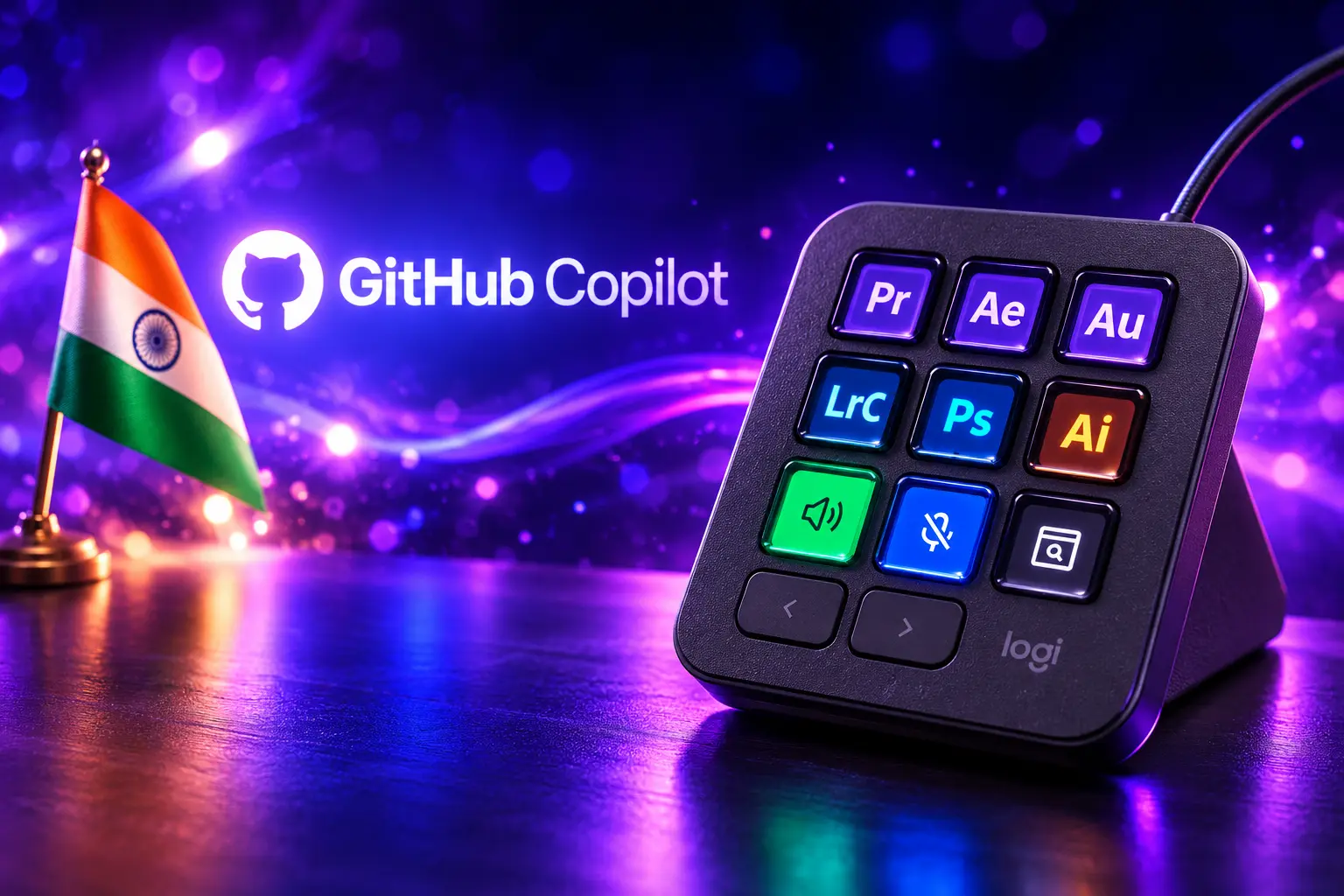
Logitech built the pad with GitHub. It ships with native hooks for VS Code and the GitHub Copilot app, with more GitHub tools promised later. Every keypad includes three months of GitHub Copilot Pro+, which GitHub still Copilot Pro+ at $39 a month on its individual plans page, next to Copilot Pro at $10.
Three months at that Pro+ list price is $117. That is more than the $99.99 US pad if the buyer would have paid for Pro+ anyway. New Copilot users and people already on the plan can both claim the months inside Logi Options+. GitHub gets a physical object on the desk. Logitech gets a reason for a developer to open Options+ on day one.
Great developer tools get out of your way. MX Keypad makes working with GitHub Copilot feel like a natural part of the workflow, so developers can spend less time navigating tools and more time building.
Martin Woodward, VP of Developer Relations, GitHub
The pad is not locked to Copilot. Community plugins for Claude Code and OpenAI Codex already sit in the Logi Marketplace, with live agent status and CLI actions on the same keys. Voice prompts and the AI hooks need a live internet link and an account with whichever vendor you tap. The hardware does not run the models.
The Same Keypad, Minus the Creative Dial
If the MX Keypad looks familiar, it is because Logitech already sold this nine-key LCD brick as half of the MX Creative Console, which remains listed at $199.99 with a dialpad. The 2024 console added a wireless dial after Logitech bought Loupedeck in 2023. The new SKU keeps the keypad, drops the dial, and retails at half that list.
Valeriya Kostyukovskaya, Global Business and Marketing Manager for MX at Logitech, said the company saw developers as the first extra use case once the Creative Console shipped. The dial helped editors. The keypad was doing more work than the box copy admitted. A hackathon in Switzerland then pushed AI-agent controls onto that same hardware instead of waiting for a new chassis.
THREE PADS, THREE BETS
| Device | List price | Keys | Native AI hook | Link |
|---|---|---|---|---|
| Logitech MX Keypad | $99.99 / Rs 15,999 | 9 LCD | Copilot, Claude Code, Codex | USB-C only |
| Logitech MX Creative Console | $199.99 | 9 LCD plus dialpad | Adobe and other creative apps | USB-C keypad, wireless dial |
| OpenAI Codex Micro | $230 | 13 mechanical | Codex only | Bluetooth or USB-C |
Elgato still owns the older LCD-key habit among streamers. Stream Deck Mini’s six LCD keys sit at the small end of that range, with larger decks going up to 32 keys. Logitech is not inventing the form. It is pointing the same tiles at agent status instead of scene cuts.
Plugins Reach More Than 100 Million Logitech Devices
The useful layer is software that already existed for MX mice, the Creative Console and leftover Loupedeck units. Logitech says Marketplace plugins and actions can reach more than 100 million compatible Logitech devices. The keypad is a new face for that store, not a new store.
The Logi Actions SDK gives Node.js or C# plugin tools, with a documented path to a first plugin in under 30 minutes. Logitech wrote the docs so coding agents can generate integrations from them. Plugins can be built by hand or by an agent, then shared with a team or published. Some plugin work can be managed from VS Code.
WHAT A KEY CAN FIRE
- Agents: Trigger custom agents for code generation, refactoring and comments, and map prompts onto physical keys.
- Voice: Launch voice prompts when the network and the vendor account are live.
- Repo chores: Start IDEs and run Git scripts, debug sequences and terminal toggles.
- Status: Community Claude Code and Codex plugins put live agent state and CLI control on the tiles.
- Desk apps: The same keys flip to Zoom, Slack, Figma, Spotify and the Adobe suite when those apps come to the front.
Kostyukovskaya said Logitech already offers an on-screen Action Ring for the same class of shortcuts, and that a software tab does not fix agent watch. If the agent is running in the background, she said, you may be in docs, research or a meeting, and a pad with changing icons can flag when something needs a look. That is the whole pitch in one desk object.
OpenAI Already Sold a Codex-Only Pad
On July 15, OpenAI put the Codex Micro on sale at $230, a 13-switch pad co-designed with Work Louder. Agent keys use RGB to show which Codex thread is thinking, running, waiting or done. A dial sets reasoning level. A stick launches canned workflows. It talks Bluetooth or USB-C, and it talks Codex. Logitech’s pad is cheaper, wired, multi-vendor, and built to look like the rest of the MX line.
THE YEAR THE PADS SHOWED UP
- 2023: Logitech buys Loupedeck, a programmable-console maker used by editors and streamers.
- 2024: Logitech ships the MX Creative Console, a nine-key LCD keypad plus a wireless dial, at $199.99.
- July 15, 2026: OpenAI sells the $230 Codex Micro as a limited Codex command pad.
- September 8, 2026: Logitech sells the MX Keypad alone, with GitHub Copilot Pro+ months in the box.
AI coding now has a hardware shelf. Stream Deck users already mapped accept/reject and status lights onto LCD keys with plugins. Logitech is selling that habit with a Copilot receipt and a Claude plugin sitting next to it. A cheap objection still holds: many people will keep using the keys they already have.
What the MX Keypad Leaves Off the Desk
The listed requirements are Windows 10 or later or macOS 13 or later, plus a USB-C port. Windows ARM64 is listed as unsupported. There is no wireless radio on the keypad, no battery, and no local model. Logi Options+ itself needs a network link to install. AI features need that network again, plus a third-party account.
THE GAPS ON LAUNCH DAY
- No ARM Windows: The India spec sheet marks Windows ARM64 as unsupported, so those PCs are out until Logitech changes the line.
- No radio: Power and data both ride the 1.5m USB-C 2.0 cable; the Creative Console’s dial was the wireless half, and that half is gone.
- No on-device model: Copilot, Claude Code and Codex still run in someone else’s cloud.
- No Pale Grey in the India list: Global pages show Graphite and Pale Grey; the India price is Graphite at Rs 15,999.
Kostyukovskaya called the MX Keypad a first step toward a true AI control center and said the small screens were a deliberate choice so the pad would not steal desk space from people who already like their keyboard layout. The form is simple on purpose. The lock-in sits in Options+, the Marketplace account, and whichever AI vendor you sign into.
India Sees Only the Graphite Model
Select-market launch copy names India, the United States and the United Kingdom. US checkout is $99.99, with £99.99 and €99.99 in the same announcement, and both Graphite and Pale Grey in stock on the US page. India coverage lists Graphite only, at Rs 15,999, with the keypad, stand, USB-C cable and user docs in the box.
Kostyukovskaya is not a developer. She still keeps templates, simple prompts and screenshot shortcuts on her own keys, and she built a plugin for screen recording because that was the bottleneck in her day. That is a quieter sales path than Copilot: the same nine tiles work as a labeled macro pad for anyone who is tired of hunting a shortcut during a call.
We noticed that having a dedicated standalone device that gives you quick access to certain tools, shortcuts, and automations is psychologically easier for users than having to remember those shortcuts.
Valeriya Kostyukovskaya, Global Business and Marketing Manager for MX, Logitech
Logitech is trying to make plugin work faster and is talking about rewards for people who publish. The SDK course already walks through a one-button Git commit-and-push plugin. The pad on an Indian desk is the visible SKU. The longer bet is that Options+ becomes the place where Copilot, Claude and Codex all get a labeled key, on this brick and on the rest of the MX pile.
Frequently Asked Questions
What Comes in the MX Keypad Box?
Logitech lists the MX Keypad, a matching stand, a 1.5m USB-C 2.0 Type-C cable and user documentation. The stand adds 61g and the cable 27g, so the desk footprint is the 96g pad plus that small wedge, not a two-piece Creative Console kit.
Does the MX Keypad Work Without a Cable?
No. The keypad is a wired USB-C device with no listed battery or radio. The older Creative Console split the job, putting the keypad on USB-C and the dial on Bluetooth; this SKU is the wired half only.
Does the MX Keypad Run AI Models Locally?
No. Logitech’s product notes say AI features and voice prompting need an active internet connection and an account with the relevant third-party AI provider. The tiles send commands and show status. The models stay in Copilot, Claude Code or Codex.
How Do Buyers Claim the GitHub Copilot Pro+ Months?
The three months are claimed inside Logi Options+, and Logitech says both new Copilot users and people already subscribed can redeem. The credit is Pro+, GitHub’s $39 individual plan, not the $10 Pro tier.
Which Languages Does the Logi Actions SDK Use?
Official SDK docs support JavaScript on Node.js for simpler plugins and C# for advanced ones, and they advertise a first plugin in under 30 minutes. Logitech also published AI-friendly docs so coding agents can draft those plugins from the same pages.
Graphite units are on sale at Rs 15,999 in India and $99.99 in the US, with the Copilot months sitting in Options+ until someone claims them. The nine tiles will only be as good as the plugin that last wrote to them.

Lerwick’s Late Dredge Is Built for Heavier Energy Ships

Skydance Closes the Warner Deal Under $80 Billion Debt

Modern Warfare 4 Hides Enemy Data to Starve Wallhacks

Apple Watch Series 12 Ships Whoop-Style Scores Without the Band

SteelSeries Arctis GameBuds Return as a $199 Color Drop

How to Dress for an Interview Men – The Dos and Don’ts of Professional Attire

Cleveland Bets on Classroom AI as New York Hits Pause

HP Wraps NVIDIA’s Chip in OmniBooks After a Share Rally

Miami-Dade Sent Rockstar a Vice City Wish List

Pinterest Turns a Shopping Guide Into a Q4 On-Ramp
-
 BUSINESS3 years ago
How to Dress for an Interview Men – The Dos and Don’ts of Professional Attire
-
 NEWS1 month ago
Cleveland Bets on Classroom AI as New York Hits Pause
-
 BUSINESS1 month ago
HP Wraps NVIDIA’s Chip in OmniBooks After a Share Rally
-
 GAMING1 month ago
Miami-Dade Sent Rockstar a Vice City Wish List
-
 NEWS1 month ago
Pinterest Turns a Shopping Guide Into a Q4 On-Ramp
-

 NEWS1 month ago
Australia Offers a Feed Switch and a Duty on Chatbots
-

 BUSINESS2 years ago
How Much Do Gymshark Athletes Make – The Income and Sponsorship of the Popular Fitness Brand Ambassadors
-

 NEWS1 month ago
Stolen Logins Now Talk to the Company’s AI Agents